məhsul
JEGA AiHouse
JEGA Visioneer
JEGA Cloud Fabrika Lite
Furni AI
Çözüm
İnteryer Dizaynı
Mebel markası
İstehsalçı
3D Walkthrough Animation
Qiymətləndirmə
Dizayn Qalereyası
Dizayn bazarı
Model Kitabxana
Dizayn konsepsiyası
dəstək
Video Dərsliklər
Bilik bazası
İnkişaf Mərkəzi
Satıcı Proqramı
məhsul
JEGA AiHouse
AI ilə işləyən daxili dizayn platforması
JEGA Visioneer
İnteraktiv 3D məhsul konfiquratoru və onlayn salon
JEGA Cloud Fabrika Lite
Design-manufacturing inteqrasiya həlli
Furni AI
NEW
Təmir, düzəltmə və video yaradılması üçün AI vizualizatoru
Çözüm
İnteryer Dizaynı
Mebel markası
İstehsalçı
3D Walkthrough Animation
Qiymətləndirmə
Dizayn Qalereyası
New
Dizayn bazarı
Model Kitabxana
New
Dizayn konsepsiyası
dəstək
New
Video Dərsliklər
Bilik bazası
Updated
İnkişaf Mərkəzi
Satıcı Proqramı
Azerbaijani
繁體中文
English
Français
España
TiếngViệt
بالعربية
한국어
Türkçe
היברית
Polski
Русский язык
Azerbaijani
Indonesian
日本語
Deutsch
Italiano
Português
فارسی
Qeyd edin
Qeydiyyat
JEGA AiHouse Design Platform
Furni AI
JEGA Manufacturing
User Manual
1.Introduction
1.Introduction
2.AI Replace
2.1 Replace product
2.2. Add product
2.3 Replace tile
2.4 Replace paint
2.5 Replace door panel
2.6 Replace countertop
3. AI Interior Design
3.1 Virtual staging
3.2 Renovation
3.3 Sketch to image
3.4 Image variation
3.5 Text to image
4. AI Photoshoot
4.1 Product shoot
5. AI Video
5.1 Image to video
5.2 Basic Prompt
5.3 Advanced prompt writing skills - example
6. Asset Center
6.1 Library
7. Generation History
7. Gallery
User Manual
1.Introduction
1.Introduction
2.AI Replace
2.1 Replace product
2.2. Add product
2.3 Replace tile
2.4 Replace paint
2.5 Replace door panel
2.6 Replace countertop
3. AI Interior Design
3.1 Virtual staging
3.2 Renovation
3.3 Sketch to image
3.4 Image variation
3.5 Text to image
4. AI Photoshoot
4.1 Product shoot
5. AI Video
5.1 Image to video
5.2 Basic Prompt
5.3 Advanced prompt writing skills - example
6. Asset Center
6.1 Library
7. Generation History
7. Gallery
Bütün
User Manual
2.AI Replace
2.2. Add product
2.2. Add product
Yeniləmə tarixi:2025-05-27
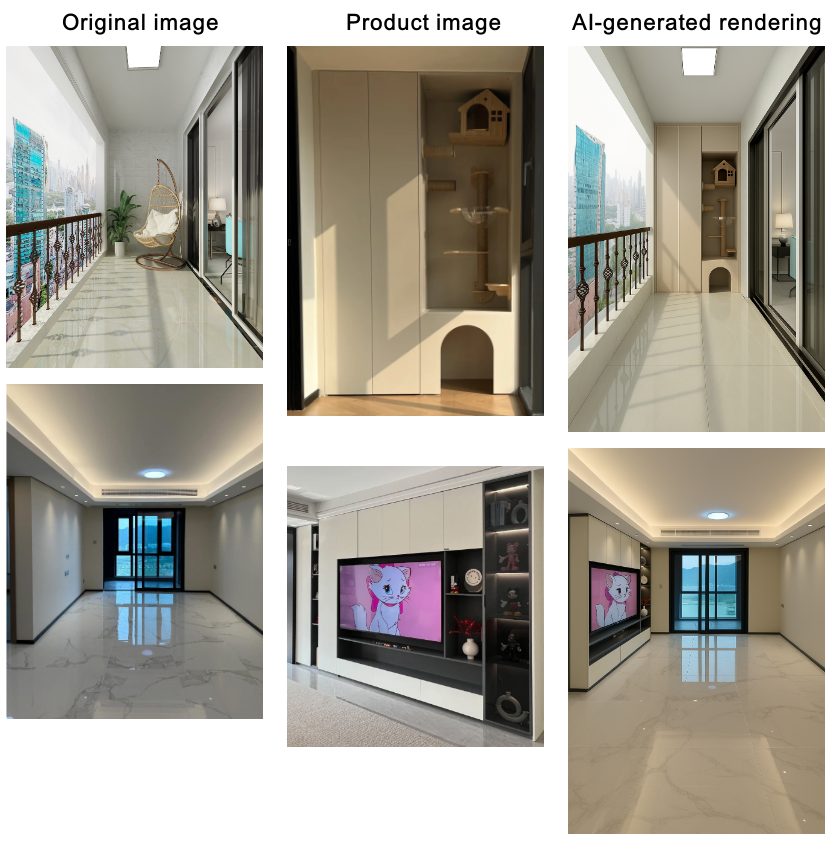
Add Product
1 Effect Demostration
2 Operation Steps
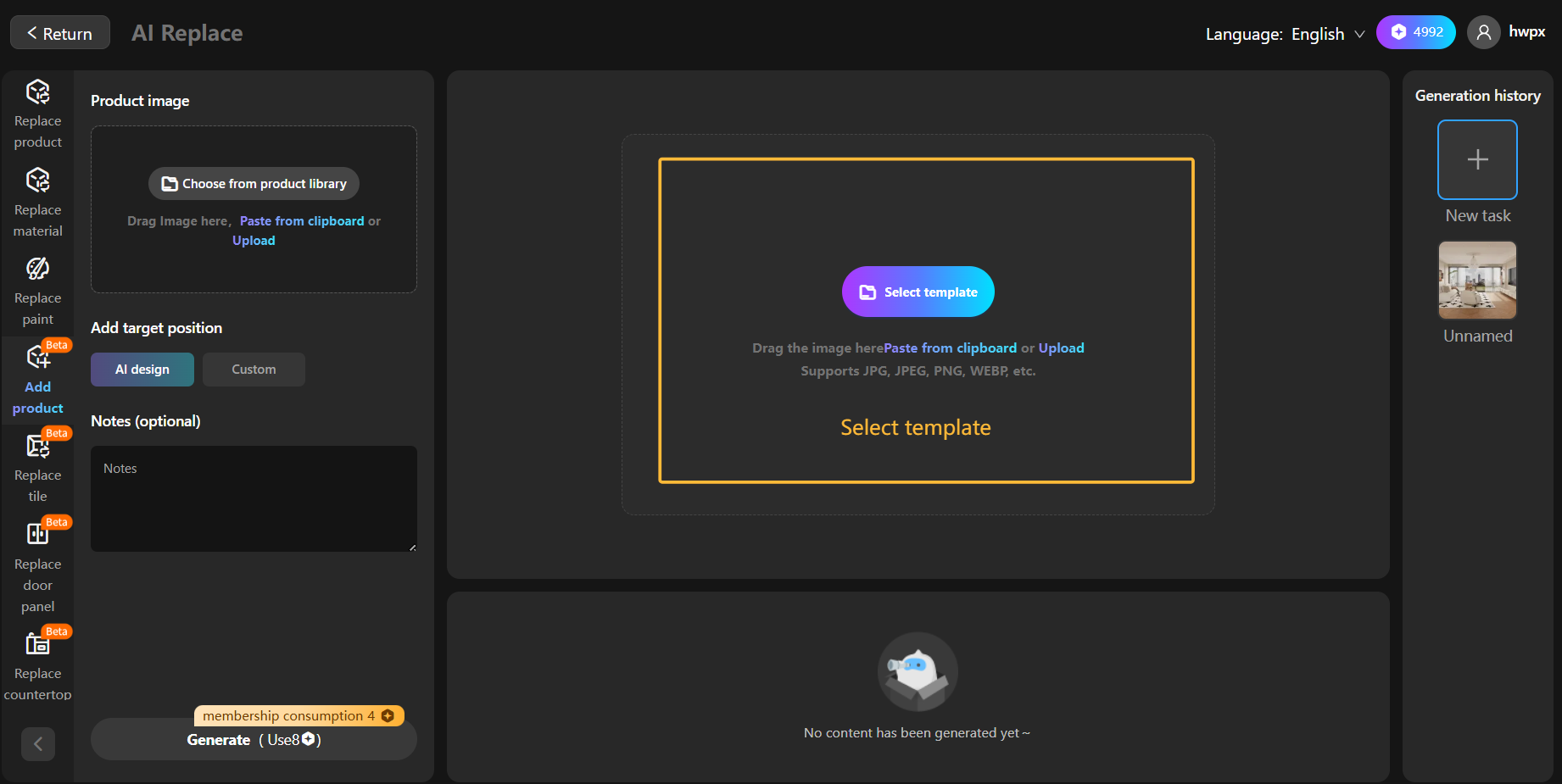
Step 1: Select template
Choose render image or actual photograph
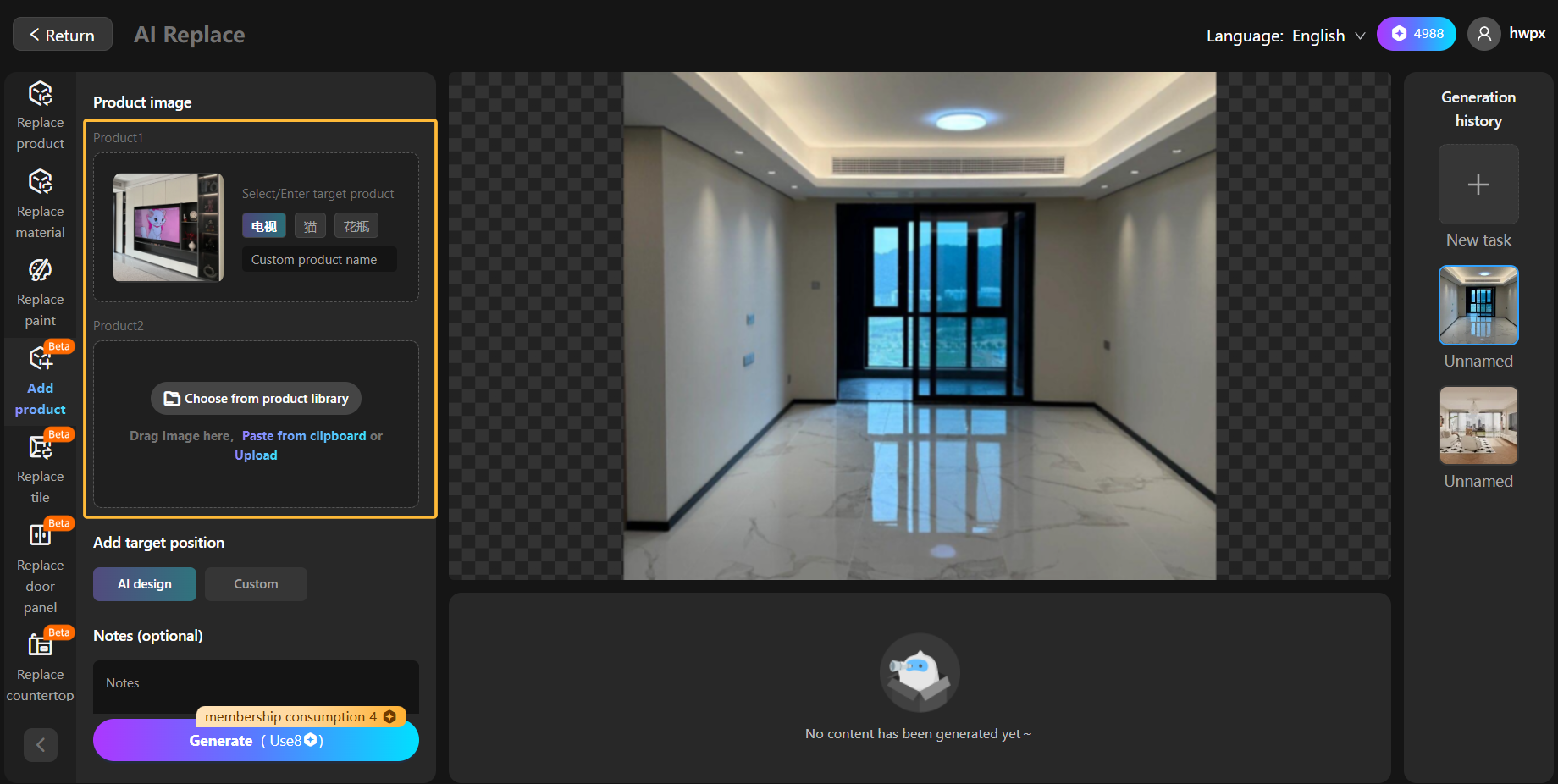
Step 2: Select product image
Upload or select a product image
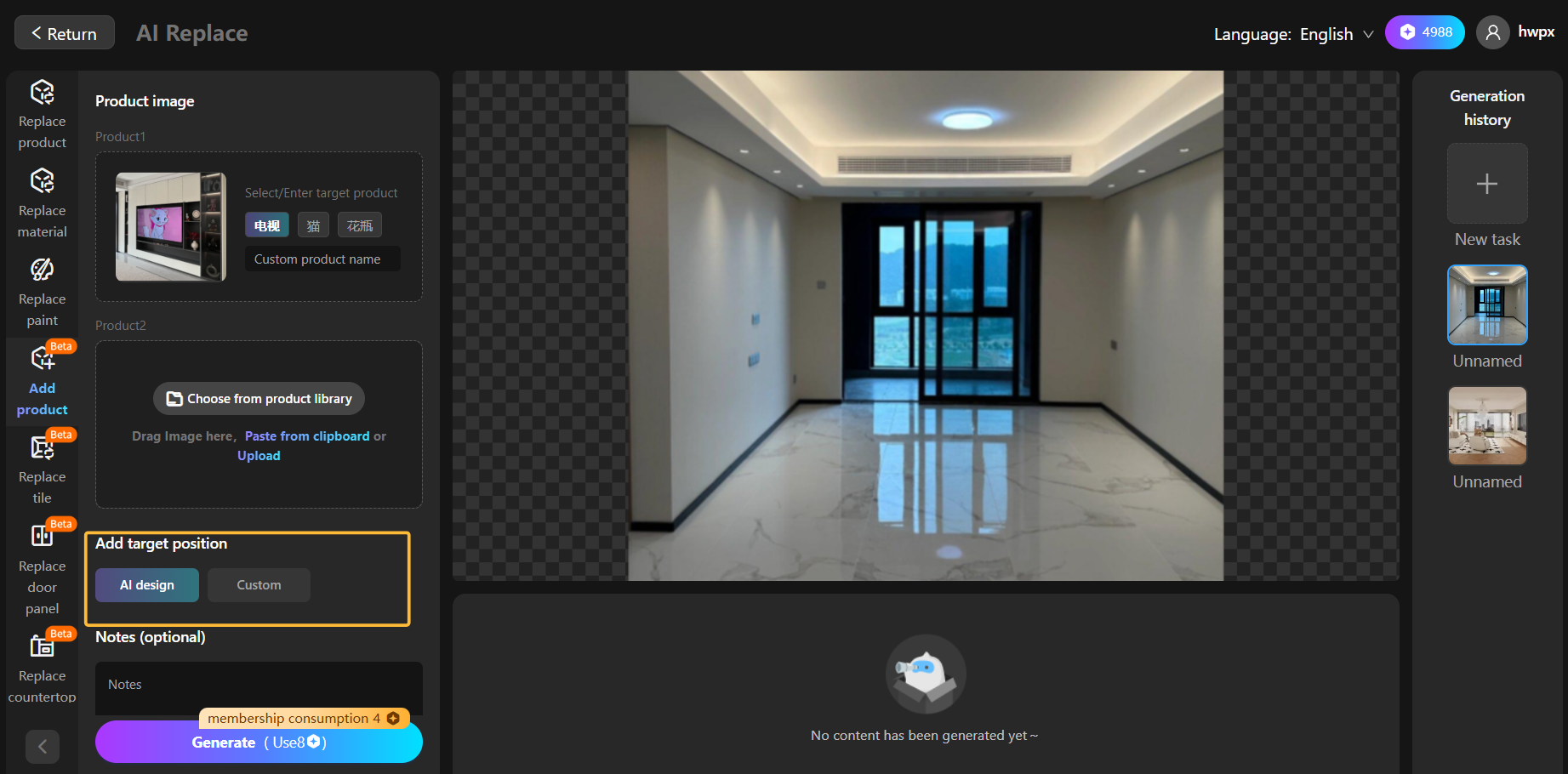
Step 3:Choose the target placement
You can choose smart arrangement or customize placements, such as placing the sofa opposite the TV
Əvvəlki məqalə:2.1 Replace product
Növbəti məqalə:2.3 Replace tile
We are Online!
What can we help you?
Demo Reservation