מוצר
- - אייגהאוס
JEGA Visioneer
JEGA מפעל ענן לייט
Furni AI
פתרון
עיצוב פנים
מותג ריהוט
יצרן
3D Walkthrough אנימציה
תמחור
גלריית עיצוב
שוק העיצוב
ספריית מודלים
קונספט עיצובי
תמיכה
הדרכות וידאו
מאגר ידע
מרכז מפתחים
תוכנית משווקים
מוצר
- - אייגהאוס
פלטפורמת עיצוב פנים המופעלת על ידי AI
JEGA Visioneer
תצורת מוצר תלת מימד אינטראקטיבית ואולם תצוגה מקוון
JEGA מפעל ענן לייט
Design-manufacturingפתרון אינטגרציה
Furni AI
NEW
ממחיש AI לשיפוץ, עיצוב ויצירת וידאו
פתרון
עיצוב פנים
מותג ריהוט
יצרן
3D Walkthrough אנימציה
תמחור
גלריית עיצוב
New
שוק העיצוב
ספריית מודלים
New
קונספט עיצובי
תמיכה
New
הדרכות וידאו
מאגר ידע
Updated
מרכז מפתחים
תוכנית משווקים
היברית
繁體中文
English
Français
España
TiếngViệt
بالعربية
한국어
Türkçe
היברית
Polski
Русский язык
Azerbaijani
Indonesian
日本語
Deutsch
Italiano
Português
فارسی
התחברות
הרשמה
JEGA AiHouse Design Platform
Furni AI
JEGA Manufacturing
User Manual
1.Introduction
1.Introduction
2.AI Replace
2.1 Replace product
2.2. Add product
2.3 Replace tile
2.4 Replace paint
2.5 Replace door panel
2.6 Replace countertop
3. AI Interior Design
3.1 Virtual staging
3.2 Renovation
3.3 Sketch to image
3.4 Image variation
3.5 Text to image
4. AI Photoshoot
4.1 Product shoot
5. AI Video
5.1 Image to video
5.2 Basic Prompt
5.3 Advanced prompt writing skills - example
6. Asset Center
6.1 Library
7. Generation History
7. Gallery
User Manual
1.Introduction
1.Introduction
2.AI Replace
2.1 Replace product
2.2. Add product
2.3 Replace tile
2.4 Replace paint
2.5 Replace door panel
2.6 Replace countertop
3. AI Interior Design
3.1 Virtual staging
3.2 Renovation
3.3 Sketch to image
3.4 Image variation
3.5 Text to image
4. AI Photoshoot
4.1 Product shoot
5. AI Video
5.1 Image to video
5.2 Basic Prompt
5.3 Advanced prompt writing skills - example
6. Asset Center
6.1 Library
7. Generation History
7. Gallery
הכל
User Manual
2.AI Replace
2.2. Add product
2.2. Add product
תאריך עדכון:2025-05-27
Add Product
1 Effect Demostration
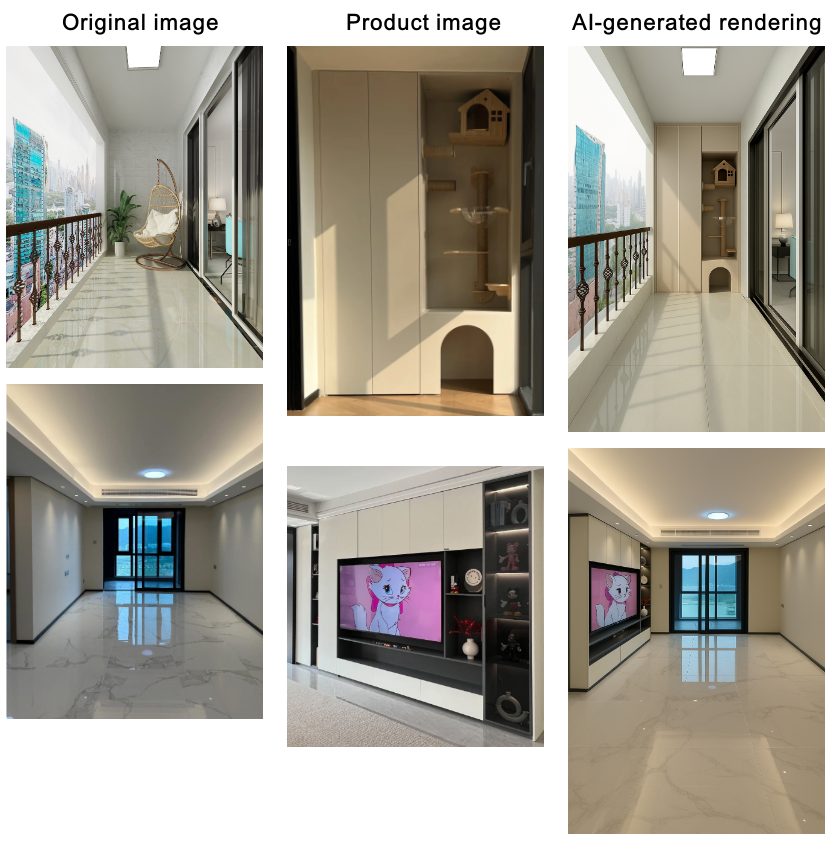
2 Operation Steps
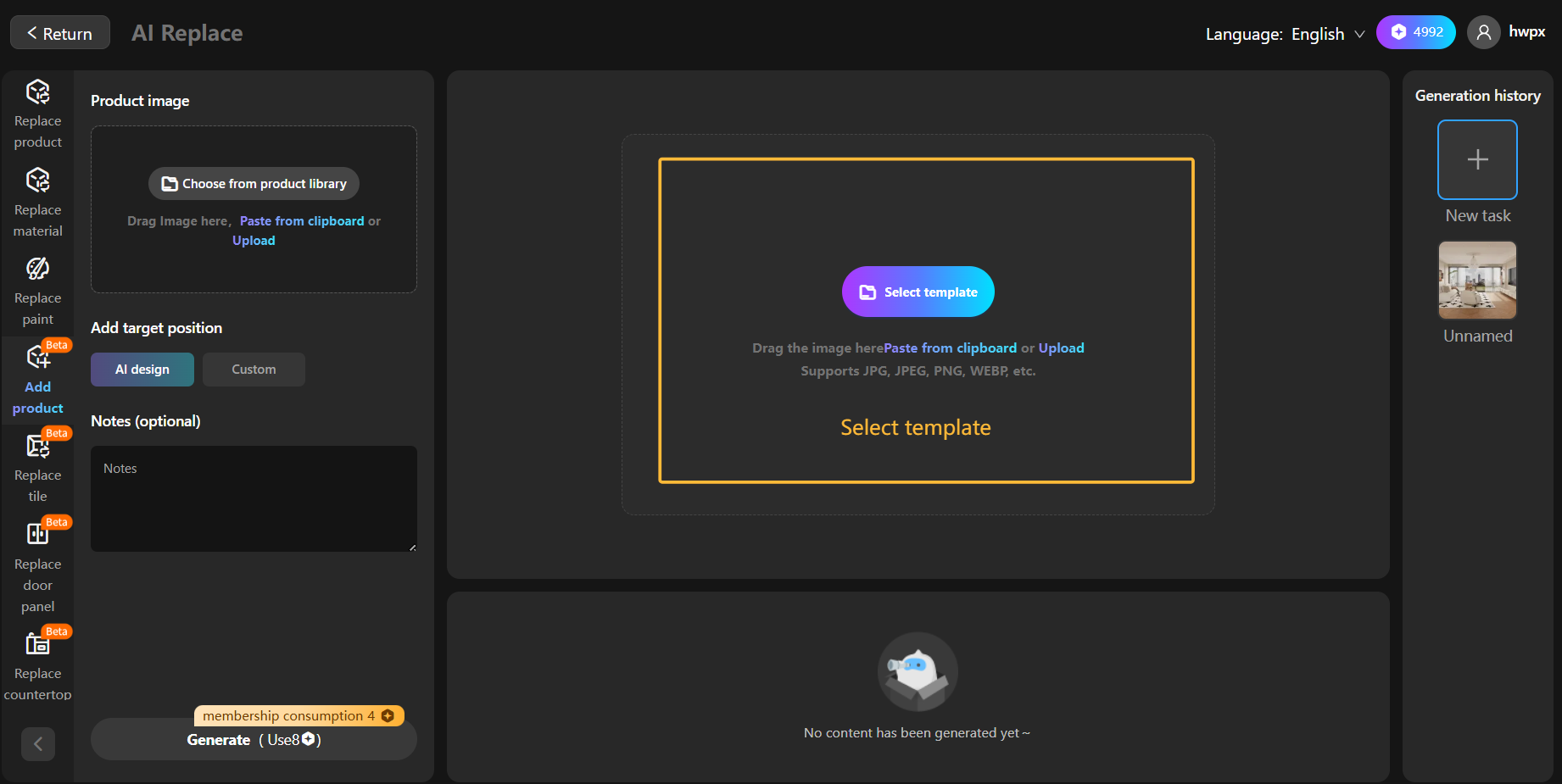
Step 1: Select template
Choose render image or actual photograph
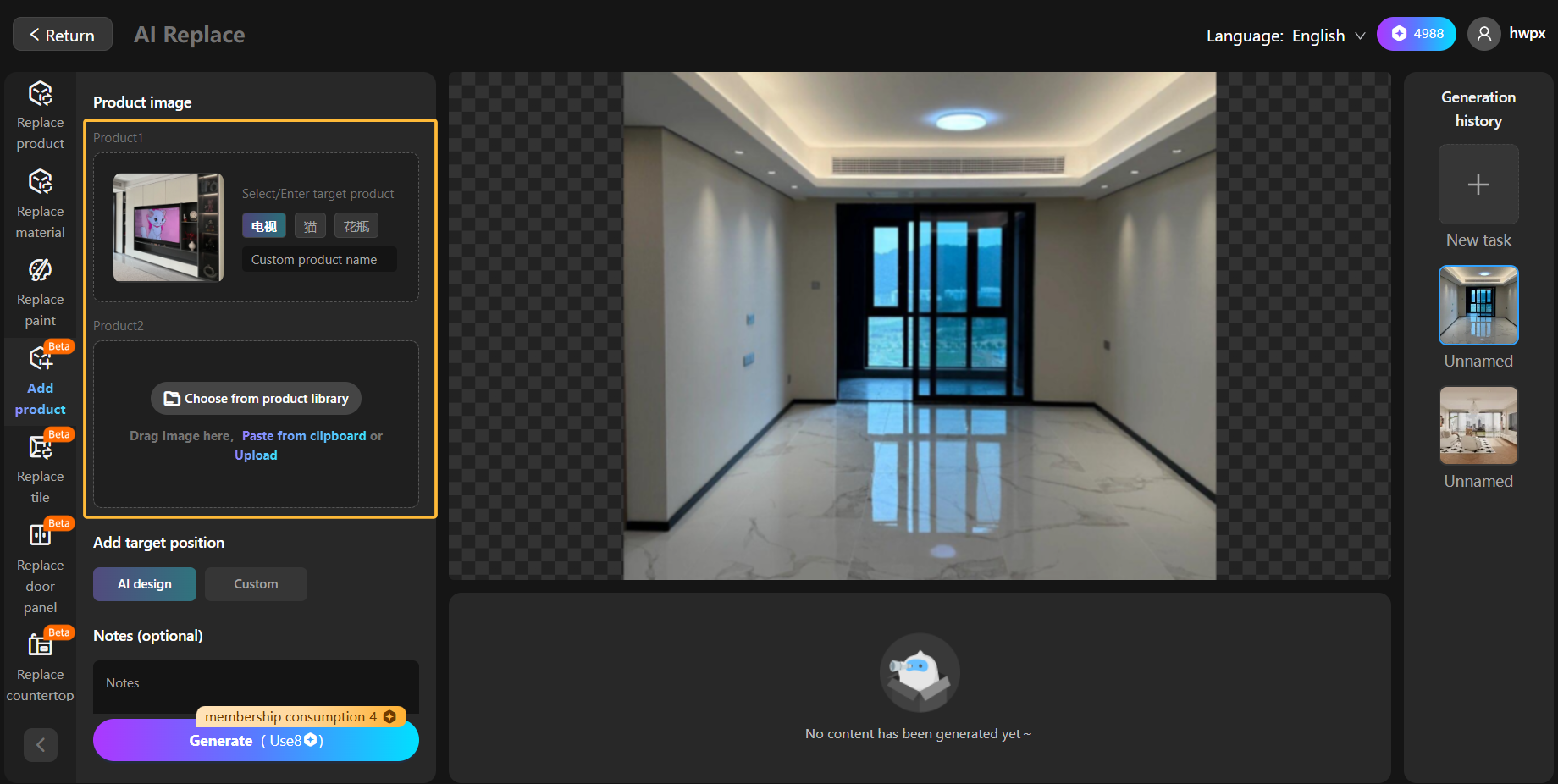
Step 2: Select product image
Upload or select a product image
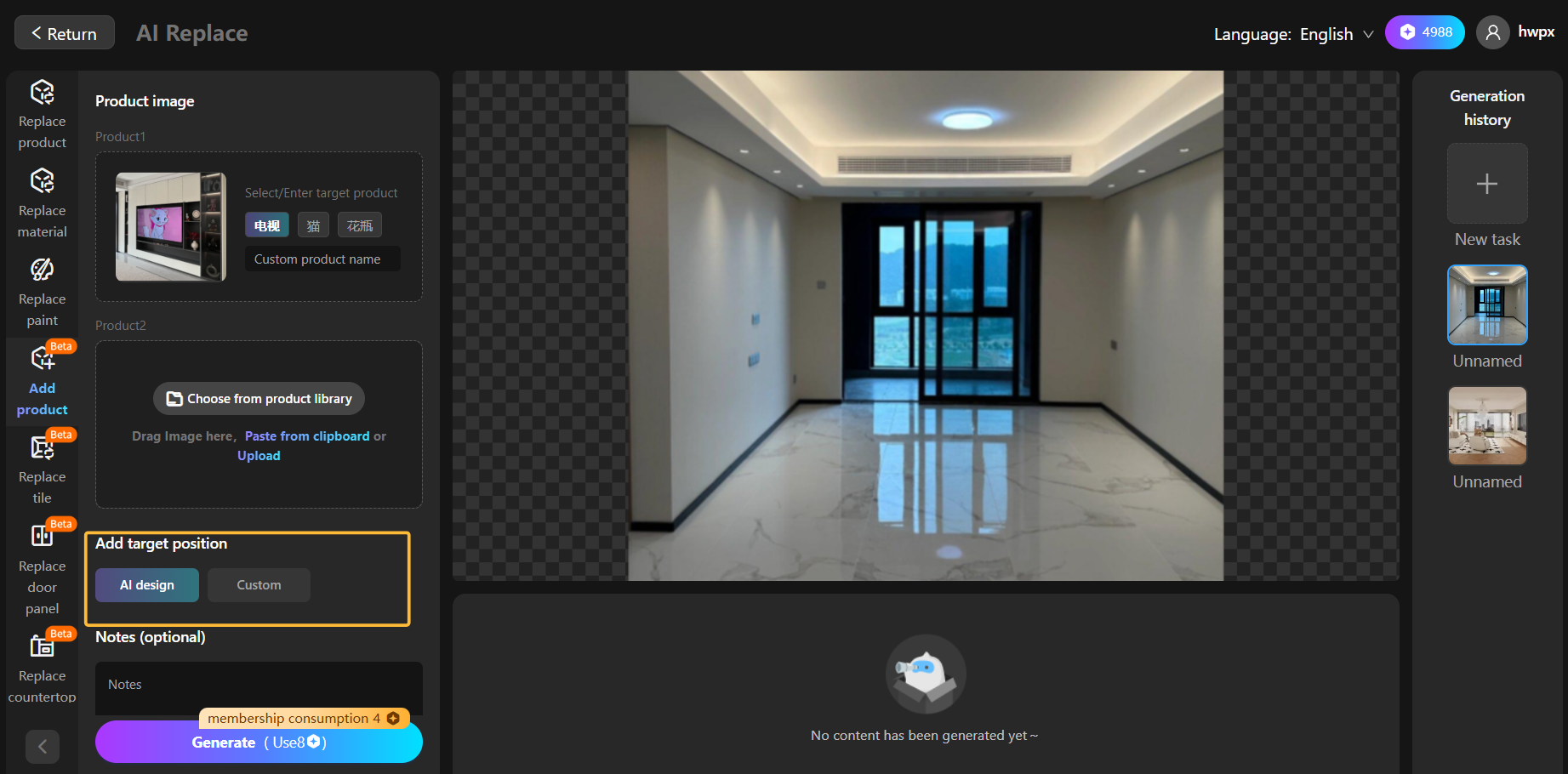
Step 3:Choose the target placement
You can choose smart arrangement or customize placements, such as placing the sofa opposite the TV
מאמר קודם:2.1 Replace product
המאמר הבא:2.3 Replace tile
We are Online!
What can we help you?
Demo Reservation